Why People Are Calling Smart Glasses ‘Pervert Glasses’—and What Americans Should Know
SpartanShopper · September 13, 2026
What the smart-glasses privacy backlash means for Americans: recording lights, detection limits, consent, accessibility, and practical steps for businesses.
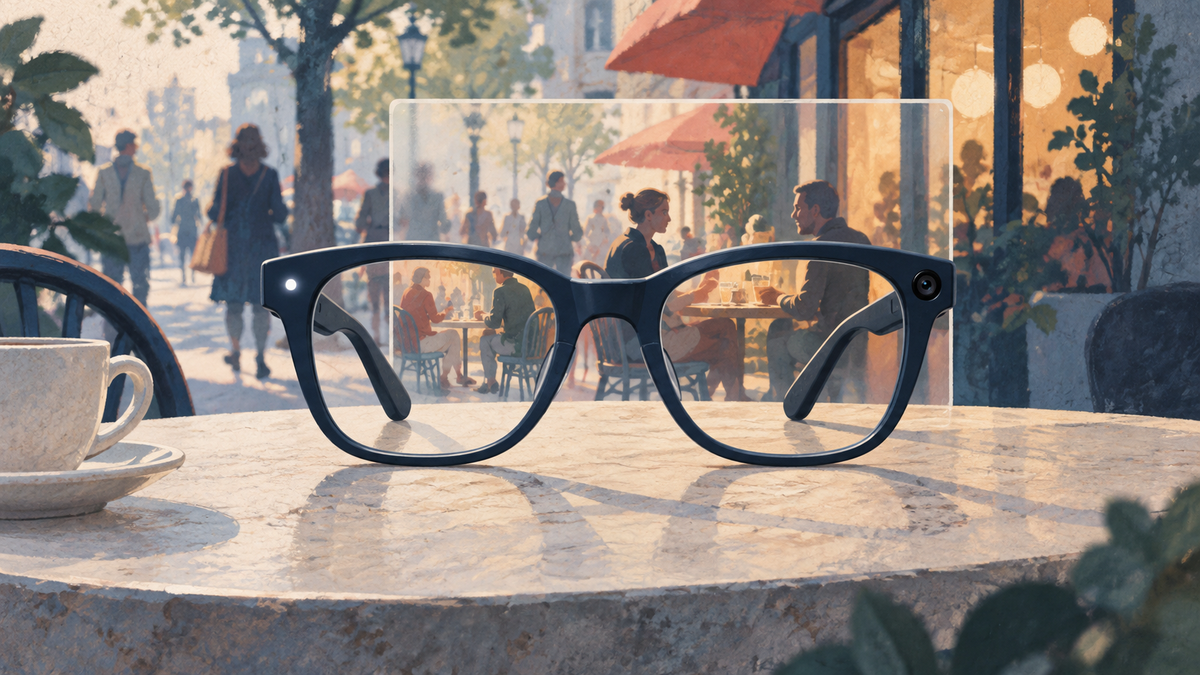
Conceptual illustration; not a photograph or model-identification guide.
Imagine noticing a tiny camera on someone’s glasses halfway through a conversation. You might be comfortable talking to that person and still uncomfortable becoming part of their next video.
That gap—between being seen and being recorded—is at the heart of the smart-glasses privacy debate. It is also where American consumers and businesses can do something useful now: learn what the technology reveals, understand what it cannot tell you, and make recording boundaries explicit.
You do not need to assume every wearer has bad intentions. You also do not have to treat a camera on someone’s face as permission to film yours.
What are “pervert glasses”?
“Pervert glasses” is a critical nickname for camera-equipped smart glasses, not a technical product category. The label reflects concerns about people being filmed without meaningful awareness or consent; it should not be used to characterize every person who wears the devices.
In September 2026, AFP reported European backlash involving secretly recorded videos of women and girls, demands for restrictions, and concerns about what increasingly capable wearables could enable. Those developments are a reason to examine the technology—not evidence that every proposed restriction has become law. Read AFP’s reporting.
The useful American angle is preparedness. People can establish expectations before an uncomfortable encounter becomes a confrontation.
America does not have to wait for the argument to arrive
U.S. scrutiny is already underway. In March 2026, Senators Ron Wyden and Jeff Merkley asked Meta for answers about reported plans to add facial recognition to smart glasses. Their inquiry concerned potential capabilities and safeguards; it does not establish that the reported feature shipped. Read the senators’ announcement.
European attention may help Americans recognize the issue sooner. But a strong consumer response does not depend on proving that the United States is “behind” another market. It depends on asking better questions about the particular device, setting, and use.
Four questions that should never be collapsed into one
1. Are camera-capable glasses nearby?
Recognizing a model or receiving a Bluetooth alert may suggest that a compatible device is present. That observation alone does not establish what its wearer is doing.
2. Is the device capturing anything right now?
A recording indicator can provide a clue, but its meaning depends on the model and feature in use. Ask about both video and audio instead of assuming that a camera lens answers the whole question.
3. Is someone being identified?
Capturing a face and matching that face to a name or database are different operations. Claims about identification need evidence about a specific feature or connected service. A camera on a frame is not evidence that facial recognition is running.
4. Where will the material go?
Saving a clip, sending it to another person, using an AI service, and posting it publicly raise different questions. “I’m not posting this” is not the same answer as “I’m not recording.” Ask the question that matches your concern.
This four-question check is more useful than treating every alert, lens, or illuminated dot as proof of the same behavior.
How to tell if smart glasses are recording
For gallery photos and videos, Meta says its glasses use an outward-facing white capture LED: it flashes for photos and remains illuminated during video recording. Its July 2026 explanation says there is no switch to turn that light off and describes safeguards against blocking it, including camera disabling on second-generation glasses. These are manufacturer descriptions, not results from our testing. See Meta’s explanation.
Treat that information as model-specific guidance. Do not extend a description of gallery capture to every AI interaction, every software version, or another manufacturer’s device. A light is a notice mechanism, not your consent. Failing to see one is not enough to establish that nothing is being captured.
Meta also distinguishes gallery storage on the glasses from importing or sharing content and using Meta AI. Avoid assuming that every ordinary recording automatically follows the same upload or processing path. Read the manufacturer’s storage and privacy answers.
The practical next step is often a direct question: “Are you recording audio or video, or sharing a live view right now?”
What to say when you do not want to be recorded
Keep the request specific and calm:
“Please don’t record or share video of me. Can you stop capture while we talk?”
If someone has already recorded you, you can ask them to delete the clip and not share it. A request does not guarantee deletion; seeing a deletion screen also cannot establish that no other copy exists.
In a venue, ask staff to clarify the recording policy or help move the conversation somewhere suitable. Describe the behavior you observed instead of accusing someone based on their eyewear. Do not grab the glasses or try to inspect another person’s device yourself.
For a business, a useful policy explains where recording is restricted, whom to ask for permission, and who can help resolve a concern. Staff need a response they can apply consistently to phones and wearable cameras alike.
What about U.S. recording laws?
There is no reliable one-sentence answer covering every American encounter. Audio recording, confidential conversations, images, and later publication can involve different rules. The state and circumstances matter. A rule about one-party consent is not a general license for every form of recording. The Reporters Committee explains these distinctions in its recording guide.
For example, California Penal Code section 632 addresses recording confidential communications without all parties’ consent, with confidentiality defined by the circumstances and statutory exclusions. It should not be paraphrased as “every photograph in California needs permission.” Read the California statute.
Likewise, European calls for restrictions do not establish an American ban. A venue’s recording policy and the law are separate questions. For a specific incident or workplace policy, check the relevant state guidance and obtain advice appropriate to that situation. Find the state-by-state recording guide.
Leave room for accessibility
Some people use camera-enabled glasses to get help with everyday tasks. Be My Eyes describes hands-free assistance through Meta glasses for blind and low-vision users, including help from trusted contacts and participating customer-support teams. Read its accessibility announcement.
That makes a blanket assumption about the wearer especially unhelpful. A business can explain its privacy concern and discuss an appropriate accommodation without publicly demanding that someone disclose a disability.
Suggested starting language for a venue policy:
“Please ask staff before recording or sharing live video in this area, including through smart glasses. If you use a camera-enabled device for accessibility assistance, please speak with us privately so we can discuss your needs and other guests’ privacy.”
This is wording to adapt to the setting, not a substitute for an accessibility or legal review.
Can a smart-glasses detector protect you?
It helps to separate an alert from an answer. The open-source Nearby Glasses project looks for Bluetooth advertisements associated with supported devices. Its documentation describes limitations including false positives and missed devices. An alert is not proof that a particular person is recording, and signal strength should not be treated as a precise location measurement. We have not tested the app. Read the developer’s documentation.
Before paying for detection equipment, ask the seller four concrete questions: Which exact glasses and software were tested? Does the tool detect a device or a recording state? What happens when footage is stored locally? What false positives occur around ordinary phones and wireless accessories?
A product name containing “hidden camera detector” does not answer those questions. Neither a clean scan nor an alert should be treated as a guarantee about recording.
Practical products: make the boundary visible
Disclosure: We may earn a commission from qualifying purchases through these links. As an Amazon Associate, SpartanShopper earns from qualifying purchases.
For a business or private event, a clear sign is a straightforward purchase to consider. It communicates a rule; it does not detect cameras, block recording, or create legal authority. These selections are based on listing research, not hands-on tests.
SmartSign “No Photos Or Video Allowed” sign
The SmartSign K-2525-AL-10 is a 7-by-10-inch aluminum sign whose wording covers both photos and video. It is the more direct fit of these two options for a venue explaining a camera policy. Place it where guests can see it before entering the restricted area, and supplement it with a staff process for permissions and accessibility requests.
Check the SmartSign sign on Amazon.
Honey Dew Gifts “No Photography” sign
The Honey Dew Gifts HDG-1174 is a 9-by-12-inch aluminum alternative. Its larger format may suit an entrance or reception area, but the wording addresses photography. Add a written explanation if your policy also covers audio recording, video, or live sharing through glasses.
Check the Honey Dew Gifts sign on Amazon.
You can also print your own policy. The important purchase decision is whether the wording communicates the actual boundary; buying a sign is optional.
Where SpyAssociates equipment fits
SpyAssociates markets the Spy Matrix PRO-10G as equipment for detecting transmitting devices, with RF coverage advertised up to 10 GHz. That is a different purchasing decision from putting up a recording-policy sign. View the Spy Matrix PRO-10G details.
We have not verified its ability to identify smart glasses or determine whether they are recording. Its advertised frequency coverage does not establish either capability. For a broader security assessment, ask the seller for model-specific evidence and an explanation of limitations before buying. We would not recommend purchasing it solely on the assumption that it will catch someone filming with glasses.
Questions readers are asking
Does a recording light mean I agreed to be filmed?
No. An indicator and permission are different things. Ask the wearer to stop if you are uncomfortable, and check the applicable rules if the situation becomes a dispute.
Does a detector alert prove someone recorded me?
No. A nearby-device alert does not establish recording, the identity of a wearer, or what happened to any footage. Use it as a reason to clarify the situation, not as an accusation.
What is the most useful first step?
Ask whether the person is capturing or sharing anything, then state your boundary. For businesses, decide how staff will handle that conversation before putting up a sign. The technology may be unfamiliar, but the expectation can be plain: tell people what you are doing, ask when appropriate, and take a request for privacy seriously.
Get Exclusive Coupon Codes
Deals and discount codes delivered to your inbox. No spam.
Get a Free Healthy Snack Box
Gluten-free, sugar-free, better-for-you snacks. No purchase required.
Claim My Free BoxSponsored offer. No purchase necessary.
Related Coupons
SwitchBot
20% Off
SwitchBot — 20% Off Sitewide with Code
Save 20% sitewide at SwitchBot on smart-home devices. Visit the page for the code.
Expires: Oct 29, 2027, 5:00 PM PDT
Confirm eligibility and the final price at checkout.
Shop Now →