Streaming Stick for an Older TV: Will It Work at 720p?
SpartanShopper · September 13, 2026
Still using a 720p TV? Check HDMI, power and app compatibility, then compare five Fire TV and Roku models without paying for features you cannot use.
As an Amazon Associate, SpartanShopper earns from qualifying purchases. We may receive a commission when you buy through links in this guide.
An older TV needs a streaming stick that matches its HDMI connection, accepted input resolutions and the apps you use. A 4K label does not mean your 720p screen will show 4K. Check compatibility first; extra storage or premium picture formats matter only if your setup can use them.
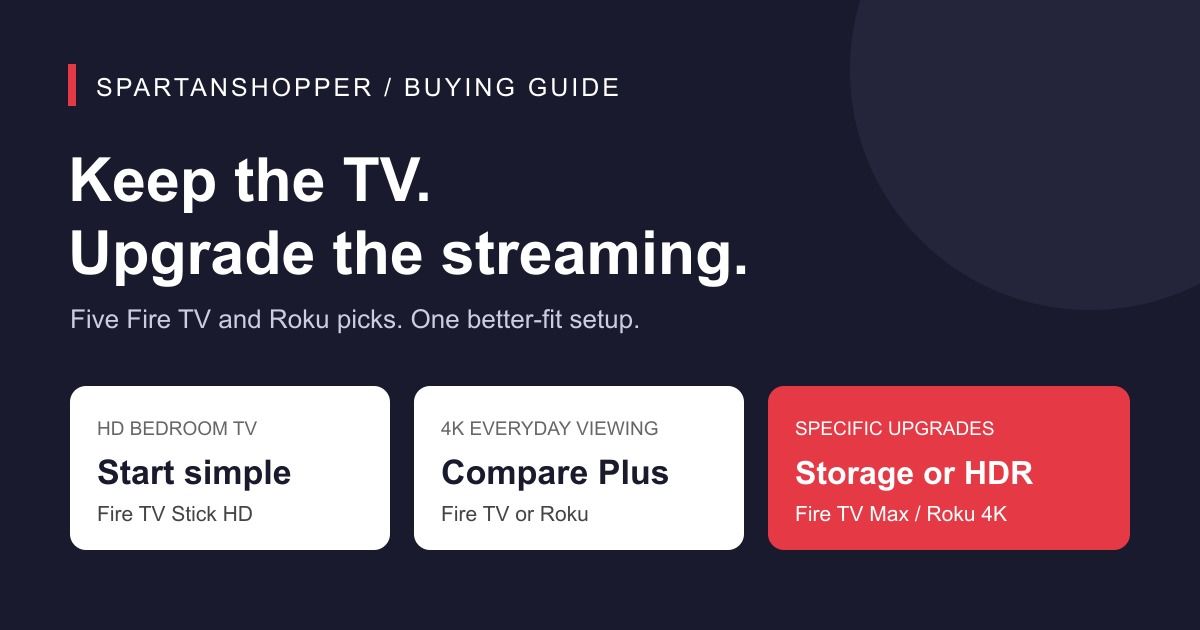
For an HD bedroom TV, start with the Fire TV Stick HD. For a 4K screen, compare the Fire TV Stick 4K Plus and Roku Streaming Stick Plus. Step up to Fire TV Max for extra storage, or Roku Streaming Stick 4K for Dolby Vision. Buy one player that fits your television; this is a comparison, not a five-item shopping list.
This is a researched buying guide, not a hands-on test. Exact listing identities and available offers were checked October 17, 2026. The shortlist distinguishes specific models rather than ranking every current streaming device. Confirm the apps you need support the exact generation and operating system before ordering.
Which streaming stick works with a 720p TV?
Start with the TV manual: confirm HDMI and the input formats it accepts. Roku’s Streaming Stick 4K specification explicitly lists 720p support, so it is a model to compare for that requirement. For a Fire TV, confirm the output compatibility of the exact generation with the retailer or manufacturer; do not infer it solely from “HD” or “4K” in the name.
Check Roku Streaming Stick 4K for a 720p-compatible option
What if the television has no HDMI port?
These sticks are not direct plug-in solutions for a television with only analog inputs. Do not buy a simple cable assuming it converts a digital signal. Before spending on an adapter chain, verify active conversion, power and protected-content compatibility; compare that total with a simpler replacement setup.
Choose by the problem you want to solve
| Player | Best fit | Output | Main difference | Tradeoff |
|---|---|---|---|---|
| Amazon Fire TV Stick HD | An HD bedroom TV | Full HD | Wi-Fi 6; Direct Power from the TV | No 4K output |
| Amazon Fire TV Stick 4K Plus | A 4K TV in an Alexa household | 4K | Dolby Vision, HDR10+ and Wi-Fi 6 | Less storage than the Max |
| Amazon Fire TV Stick 4K Max (2nd Gen) | More app storage | 4K | 16GB storage and Wi-Fi 6E | 6GHz use needs a compatible router |
| Roku Streaming Stick Plus | A compact Roku 4K setup | 4K | HDR10+ and a voice remote | Choose Roku 4K if Dolby Vision matters |
| Roku Streaming Stick 4K | A Dolby Vision TV with Roku | 4K | Dolby Vision and HDR10+ | The TV and content must support the format |
Amazon Fire TV Stick HD
Choose the current Fire TV Stick HD when you want to keep using an HD television and your main goal is access to streaming apps. The listing checked for this guide is ASIN B0DJGDC3BD, the Direct Power version. Amazon lists Full HD output, Wi-Fi 6 and an included USB-C cable for power from the TV.
This is a candidate for an HD spare-room setup. It cannot add pixels to the television. Check the exact HDMI, power and supported input requirements before ordering; older Fire TV Stick HD listings use different hardware. Compare recent reviews for the exact selected model rather than a combined listing total.
Check Amazon Fire TV Stick HD options on Amazon
Amazon Fire TV Stick 4K Plus
The 4K Plus is our starting recommendation for a 4K television when you already prefer Amazon’s voice controls. Amazon specifies Dolby Vision, HDR10+, Dolby Atmos and Wi-Fi 6 support. Those are compatibility features: the television, content and audio equipment must also support the formats you want to use.
Choose it over the HD stick for a compatible 4K screen, then compare its checkout price with the Max. For a handful of streaming apps, the Plus is a reasonable place to stop. If extra app storage is the actual problem you are trying to solve, the Max offers a more concrete upgrade. A streaming stick does not include every paid service displayed on its home screen.
Check Amazon Fire TV Stick 4K Plus options on Amazon
Amazon Fire TV Stick 4K Max (2nd Gen)
The Max is the Fire TV pick to consider when storage headroom matters. Amazon lists 16GB of storage, compared with 8GB for the 4K Plus, along with Wi-Fi 6E and its Ambient Experience display feature. It supports Dolby Vision and HDR10+ for compatible viewing setups.
Paying more makes sense if you will use that storage or already have a Wi-Fi 6E router. The stick also works with earlier routers, but buying it does not add a 6GHz network to your home. We would not buy a new router solely to justify this stick for a basic bedroom setup. Its extra hardware also cannot guarantee that every app will run without problems.
Check Amazon Fire TV Stick 4K Max (2nd Gen) options on Amazon
Roku Streaming Stick Plus
Start with the Roku Streaming Stick Plus if you want a compact 4K player and prefer the Roku platform. The checked listing identifies the HDR10+ model with a voice remote. Roku markets its design for direct power from the television, which can help keep a small media console tidy.
The important comparison is with the Roku Streaming Stick 4K below. Do not assume the word Plus means it includes every feature of the other model. If your television supports Dolby Vision and you specifically want that format, compare the Streaming Stick 4K. If that is not a priority, the Plus is a sensible candidate to price-check first. Follow the supplied power instructions for your TV.
Check Roku Streaming Stick Plus options on Amazon
Roku Streaming Stick 4K
Choose the Roku Streaming Stick 4K when you prefer Roku and have a television that can use Dolby Vision. The exact listing checked here includes a voice remote and identifies both Dolby Vision and HDR10+ support. That gives it a clear role beside the less expensive Plus rather than making it an automatic upgrade for everyone.
On an HD television, those picture-format features are not a reason to spend more. You might still choose it for a planned move to a compatible 4K screen, but compare the price difference with buying the simpler device you need today. Check that your must-have streaming services support your region and device before ordering.
Check Roku Streaming Stick 4K options on Amazon
Before you buy: four checks that prevent wasted spending
Check the television first. Find its model number and supported resolution, then confirm that an HDMI port is available. A 4K player connected to an HD television still shows an HD picture. A very old set without HDMI requires a different setup; do not assume a stick plugs straight in.
Check your subscriptions next. The device purchase and the streaming service are separate costs. Confirm the apps you actually watch, any required subscription tier, and whether the desired content is available in 4K or HDR. Free channels do not make every movie, sports event or premium service free.
Check power and placement. Read the instructions for the exact stick, since these models do not all use the same power arrangement. Leave access to the cable and HDMI port. There is no need to buy a wall mount, headphones or an extra power strip unless your room genuinely needs them.
Compare the delivered price for the same configuration. Check seller, condition and included remote before deciding that one listing is cheaper. Trade-in incentives, credit-card offers and accessory bundles are separate from the basic device price. A list-price percentage alone does not prove an unusually good deal.
Use our seven checks for spotting a real online deal.
Read our guide to when Amazon prices drop.
Common questions
Do I need a streaming stick if I already have a smart TV?
Only if it solves a problem for you, such as a missing app or an interface you prefer to replace. If the television already runs your services well, keeping the existing setup costs nothing.
Will a 4K streaming stick make my HD television display 4K?
No. The television determines the screen resolution. A compatible 4K stick can work at an HD resolution, but it does not add pixels to the panel.
Is Fire TV or Roku the better choice for a bedroom?
Start with the apps and controls you already use, then match the resolution to the television. Fire TV Plus and Roku Plus are the two 4K starting points in this guide; storage or Dolby Vision requirements can justify the other models.
Should I buy extra accessories with the stick?
Check what is included and how the exact model connects before adding anything. You may already have everything needed. Buy accessories to solve a specific power, placement or listening problem.
Sources and selection method
The five exact retailer listings were rechecked October 17, 2026. We retained the useful model comparisons and removed old review-count and monthly-purchase figures. Manufacturer sources below explain specifications; we did not conduct speed, reliability or picture-quality tests.
Get Exclusive Coupon Codes
Deals and discount codes delivered to your inbox. No spam.
Get a Free Healthy Snack Box
Gluten-free, sugar-free, better-for-you snacks. No purchase required.
Claim My Free BoxSponsored offer. No purchase necessary.
Related Coupons
SwitchBot
20% Off
SwitchBot — 20% Off Sitewide with Code
Save 20% sitewide at SwitchBot on smart-home devices. Visit the page for the code.
Expires: Oct 29, 2027, 5:00 PM PDT
Confirm eligibility and the final price at checkout.
Shop Now →